Start from a sport’s rulebook
Updated 2 minute read
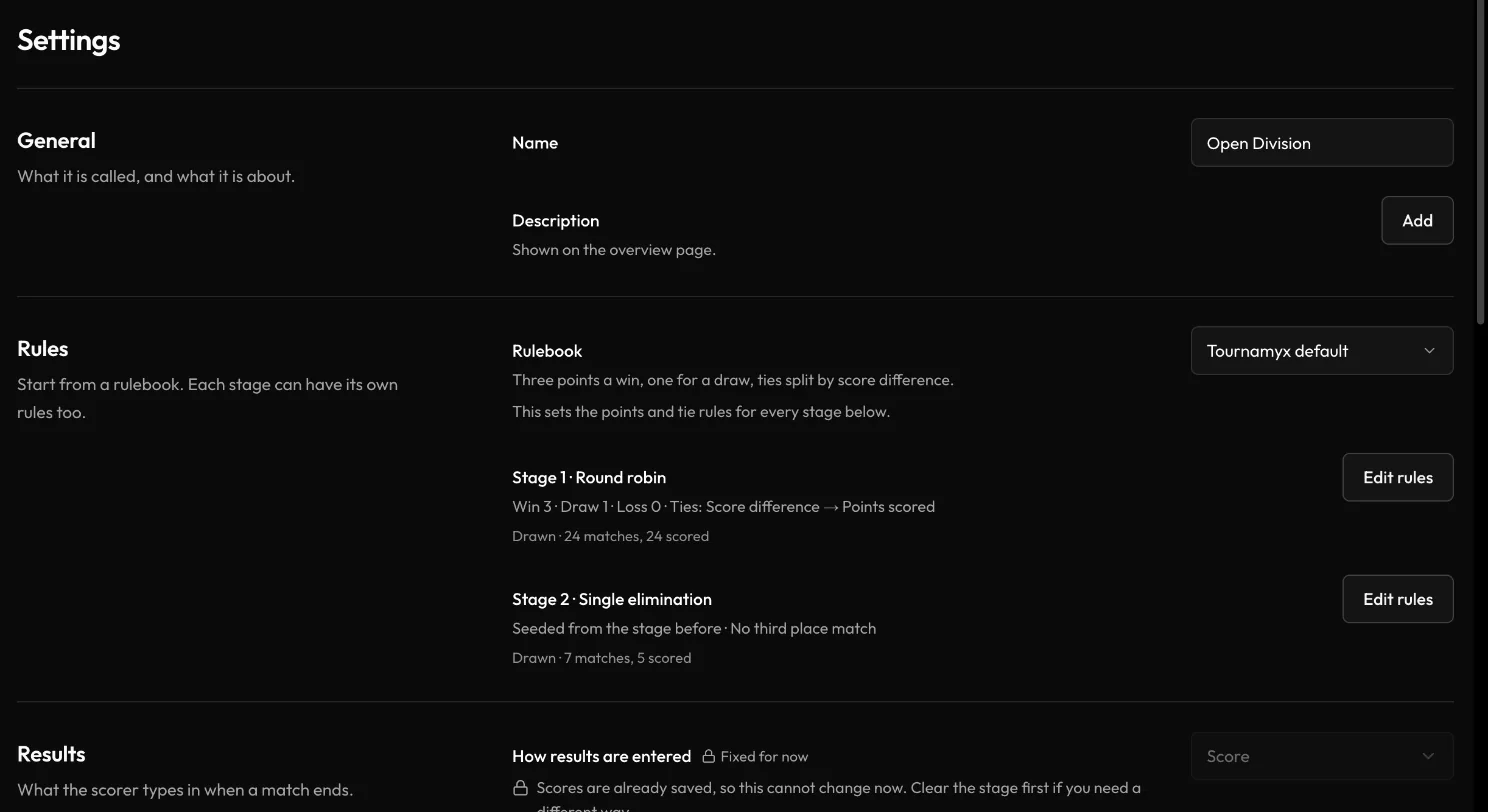
A rulebook sets the points and tie rules for every stage in one go. Pick the one closest to your sport, then change anything that is different at your event.
Pick a rulebook
- Open Tournament Settings in the menu.
- Under Rules, open the Rulebook list and pick one.
- Use Edit rules next to a stage to change anything just for that stage.
The rulebooks
- Tournamyx default
- Football league
- UEFA group stage
- Magic (Swiss)
- Chess (Swiss)
- Pokemon (Swiss)
- Esports knockout
- Badminton club night
- Sumo
What each rulebook sets
| Rulebook | What it sets |
|---|---|
| Tournamyx default | Three points a win, one for a draw, ties split by score difference. |
| Football league | Three points a win, ties split by goal difference. |
| UEFA group stage | Three points a win. If teams are tied, the games between them decide it. |
| Magic (Swiss) | Three for a win, one for a draw, best of three, ranked by opponents’ win rate. |
| Chess (Swiss) | One for a win, a half for a draw, ties split by Buchholz cut 1. |
| Pokemon (Swiss) | Best of three, drops allowed, and players who drop leave the table. |
| Esports knockout | Best of three early, best of five in the semis and final, no third place match. |
| Badminton club night | Best of three to 21, played in pairs, no draws. |
| Sumo | Weight is saved with every bout, and the lighter wrestler wins a tie. |
Common questions
Can I change a rule after picking a rulebook?
Yes. A rulebook is a starting point. Change any rule for the whole tournament, or use Edit rules for one stage.
My sport is not on the list. What should I pick?
Start from Tournamyx default and change the points and tiebreaks to match your rules.