← Help center / Sharing and the venue
Share the live results link and use TV mode
Updated 2 minute read
Players and parents can follow every score on their own phones, without an account or an app. You can also put the live scores on a TV at the venue.
On this page
Turn on the public page
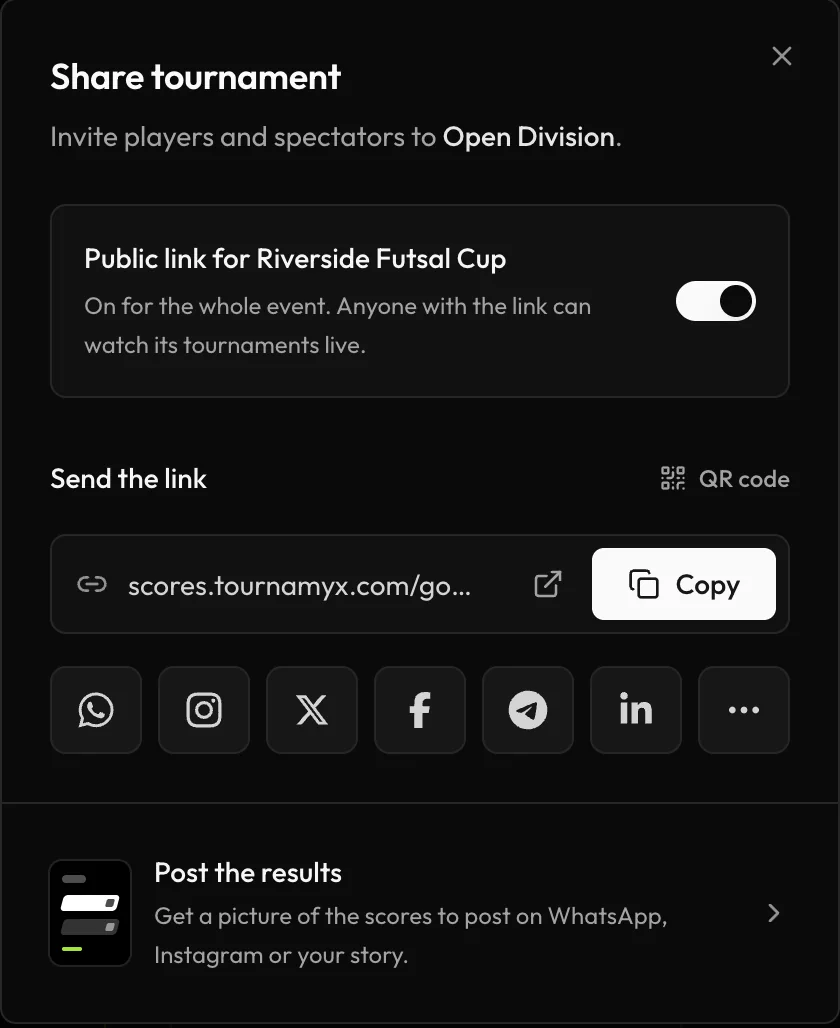
Press Share at the top of any tournament page and turn on the switch. You can also use the Public page switch on the Overview. When it is on, anyone with the link can watch. They cannot change anything.
- If the tournament is part of an event, the switch is for the whole event. All its tournaments share one public page.
- If it is on its own, turning the switch on shares all your tournaments that are not in an event, including new ones. You can turn any one of them off afterwards.
Send the link
The Share box has everything you need to spread the link:
- Copy the link, or send it straight to WhatsApp, Instagram, Telegram and others.
- QR code shows a code to scan. Download QR code saves it, so you can print it for the entrance or the scorer’s table.
- Open the public page shows you what everyone else sees.
What players and parents see
The public page shows the next matches, the latest results, the tables, the bracket and the schedule. Find your team lets a player search for their own team and see when they play next.
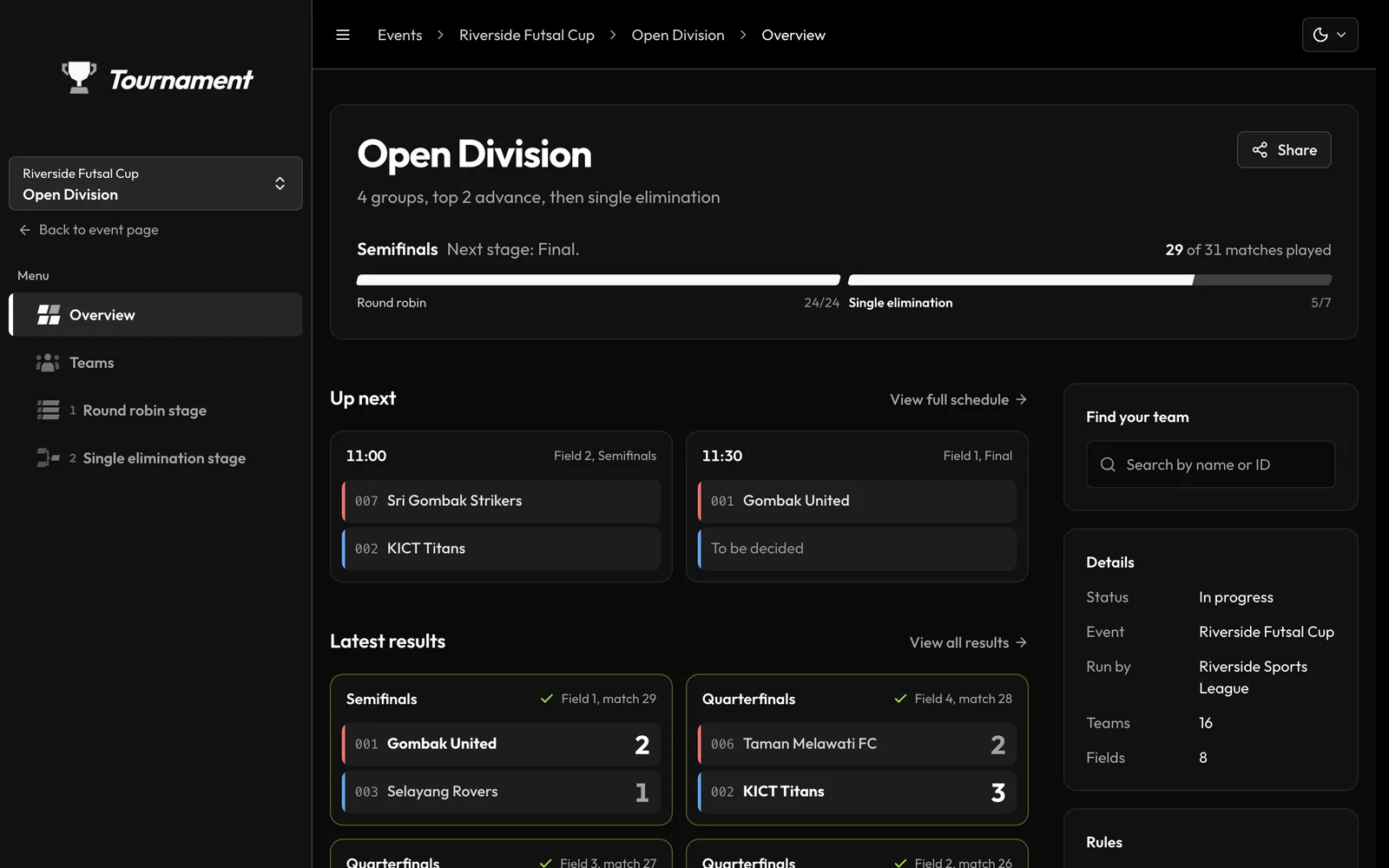
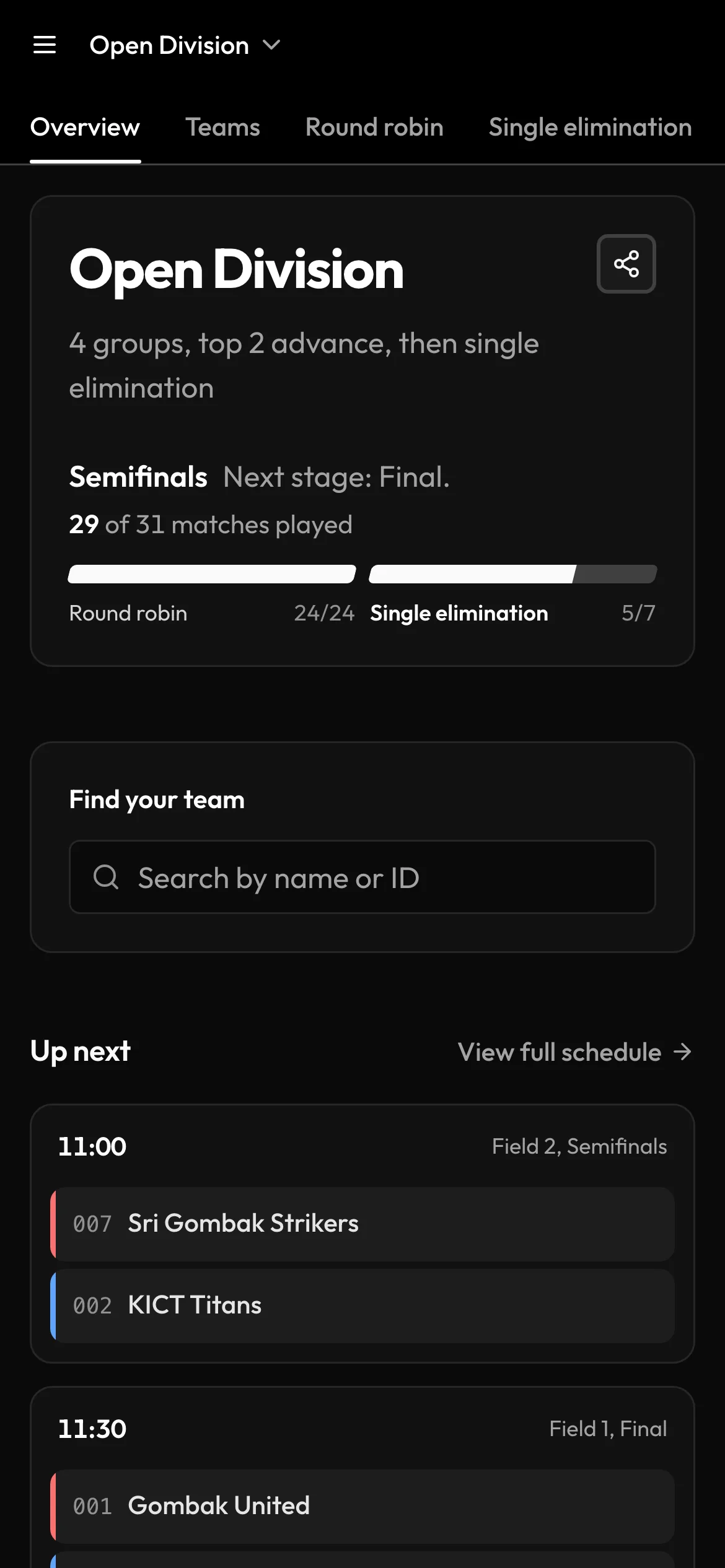
You can choose what is shown. In Tournament Settings, turn off Show scores to show who plays whom without the results, or hide the standings, schedule, bracket or team list.
Post result pictures
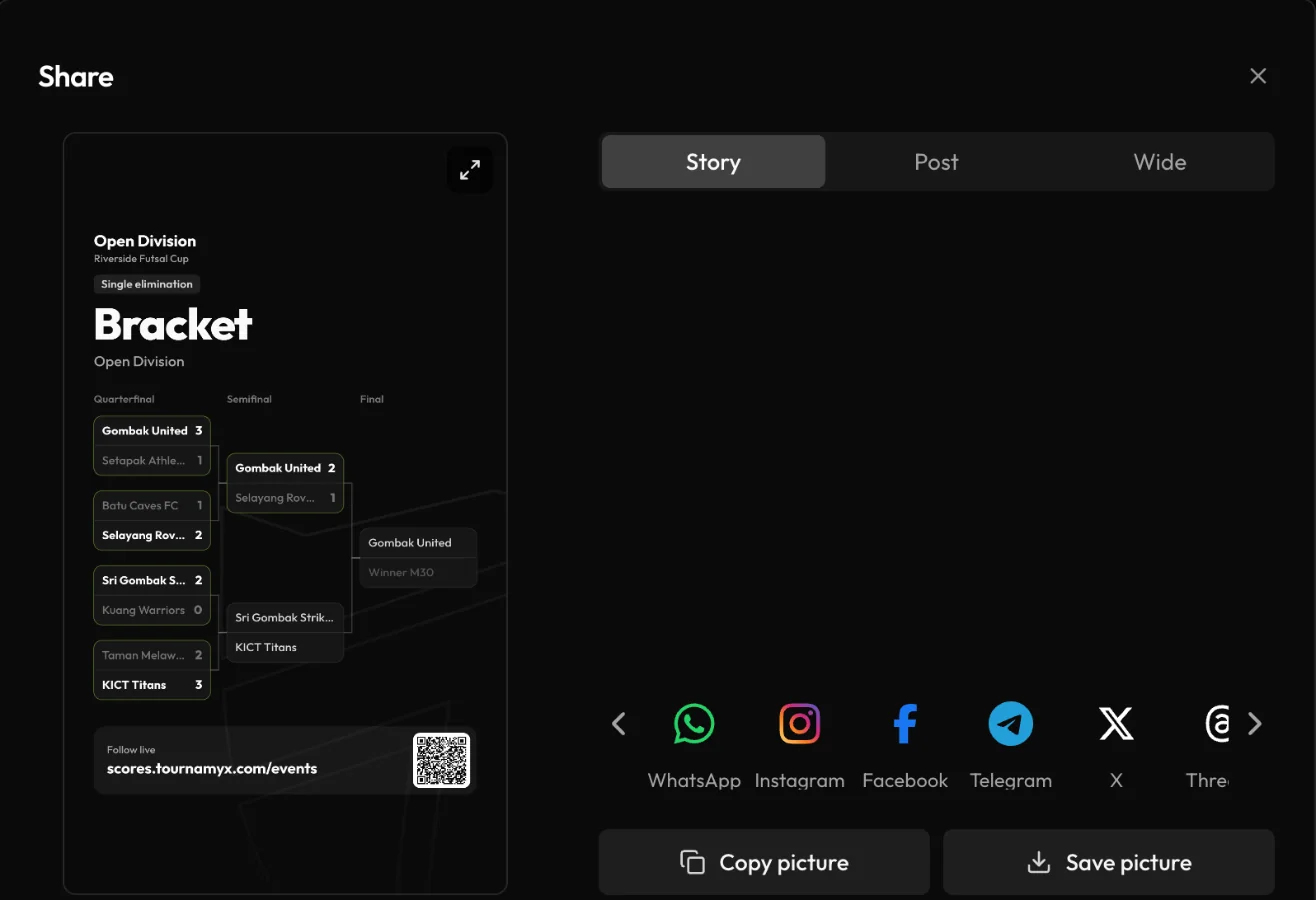
In the Share box, Post the results makes a picture of a bracket, a table or a single match, ready for WhatsApp, Instagram or your story. Pick Story, Post or Wide for the shape, then share it or press Save picture. You can also press Share on any scoresheet to post that one result.
Put the scores on a TV at the venue
Press TV mode at the top of the tournament on a laptop or computer, and connect it to the screen. It shows the matches being played, what is up next, and the tables or the bracket, with a QR code so people can follow on their phones. It keeps itself up to date as scores come in.
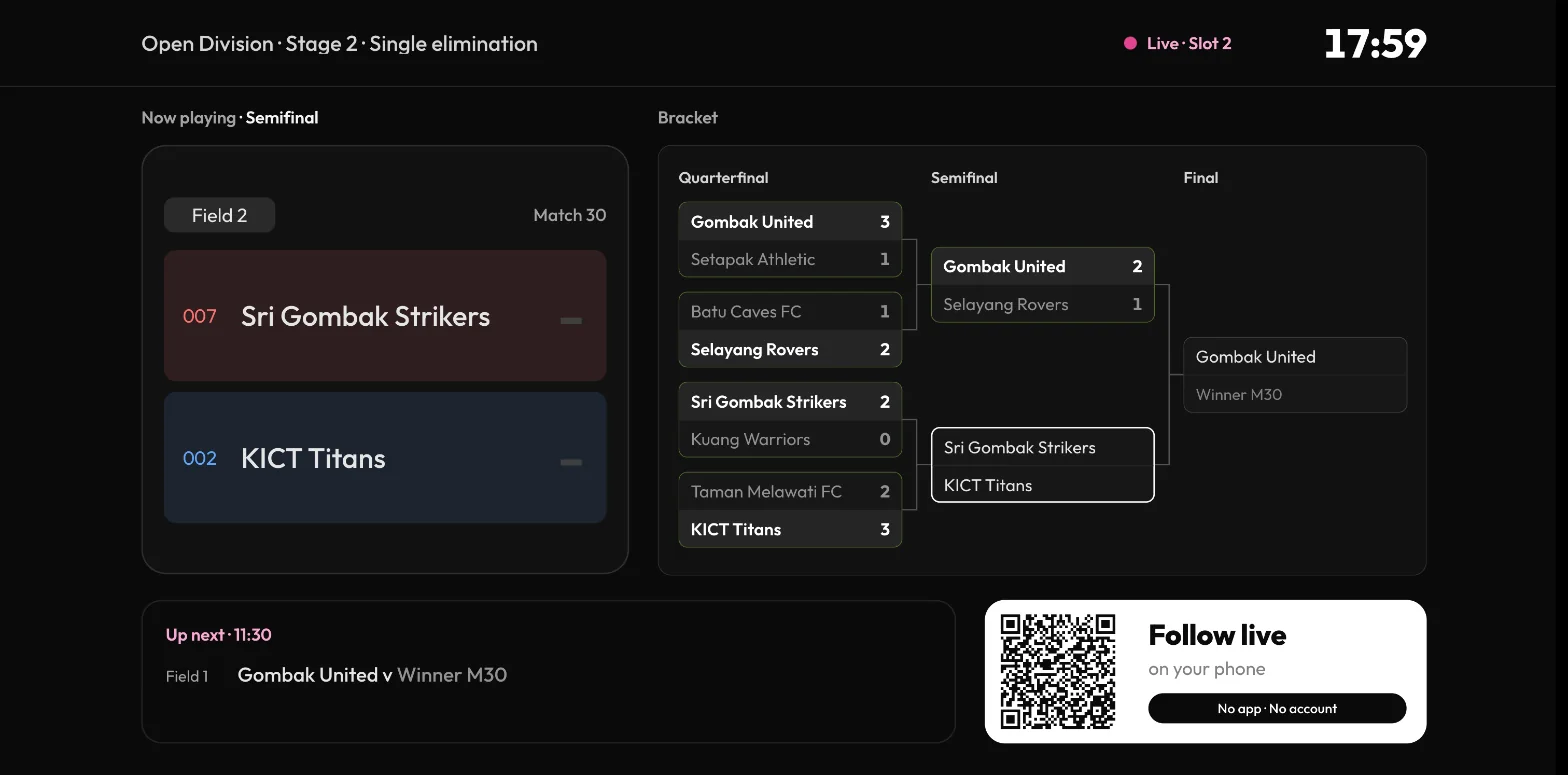
Move your mouse to see the bar at the bottom and press Settings. You can show only the matches or only the tables, show one field or one group per screen, change how fast it turns pages, or hide the QR code. To show a message at the top, like "Finals start at 3 pm", set Message on TV screens in Tournament Settings.
Common questions
Do spectators need to download anything?
No. The link opens in any browser, on any phone, with no account.
Can I share before the tournament starts?
Yes. Share the link early, so teams can see the draw and the schedule before match day.
Can people change scores from the public link?
No. The public page is read only. Only you and your helpers can enter scores.