Create your first tournament
Updated 3 minute read
This guide takes you from an empty account to a tournament that is ready to play. It takes about five minutes, and you can do all of it on a phone.
On this page
Sign up
Go to Tournamyx Scores and sign up with Google, or with your email and a password. If you use email, we send you a short code to check it is really you.
The first time you sign in, Tournamyx asks three short questions: what the tournament is called, how it will be played, and who is playing. Answer them and your first tournament is made for you. You can also press Skip for now and make it yourself from the dashboard, as below.
Make the tournament
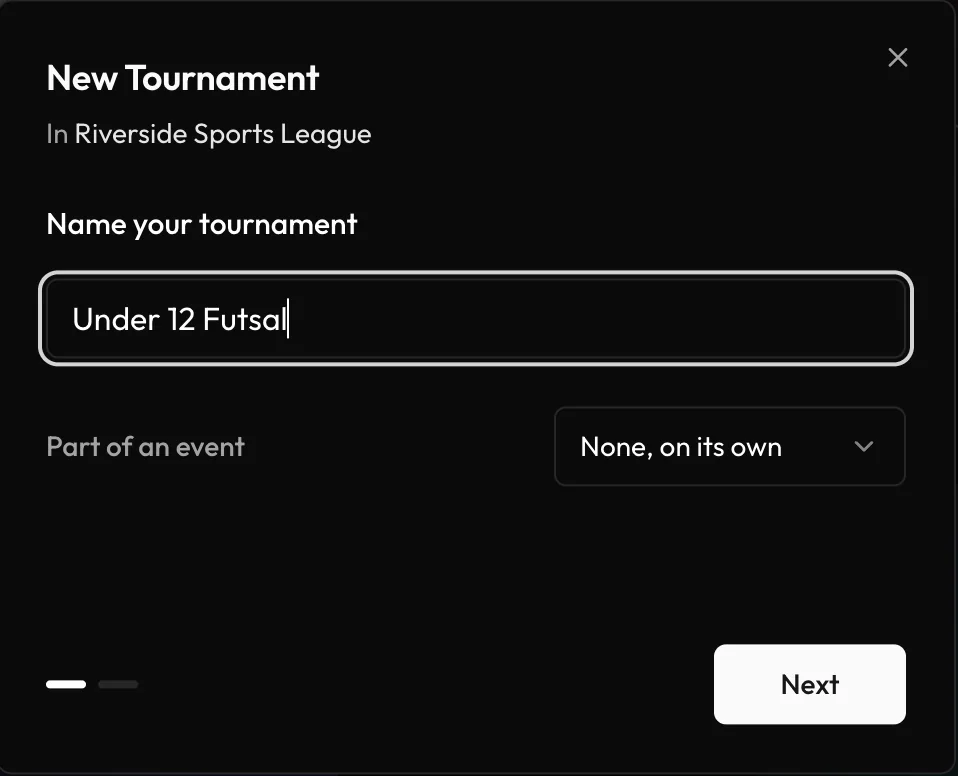
- On your dashboard, press New Tournament.
- Type a name, like Under 12 Futsal.
- If it belongs to a bigger event with other tournaments, pick the event under Part of an event. If not, leave it as None, on its own.
- Press Next.
Now pick how it will be played. Single stage is one format from start to finish. Multi-stage is two formats in a row, like groups first and then a knockout for the top teams.
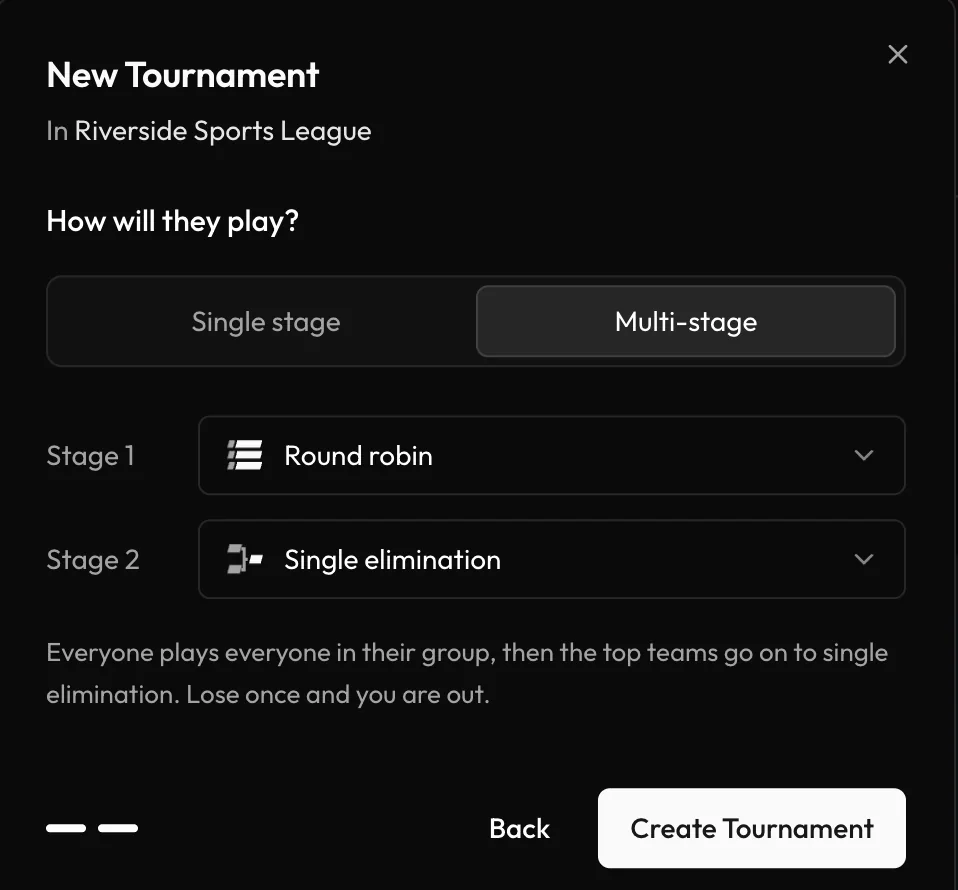
Not sure which format to pick? Groups into a knockout suits most one-day events. Tournament formats explained compares them all. Press Create Tournament when you are happy.
Add your teams
- Open Teams in the menu on the left.
- Press Add Teams.
- Type the names, one per line. You can paste a list from WhatsApp or a spreadsheet too.
- Press Add Teams at the bottom to save them.
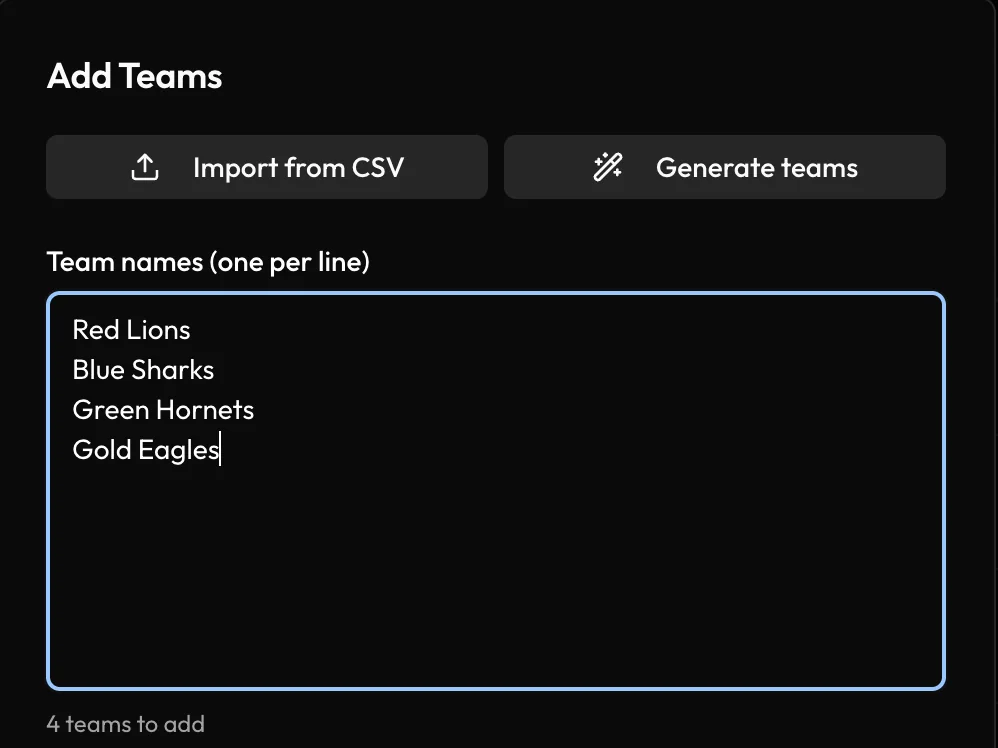
Have the names in a file? Press Import from CSV. Just want to try things out? Generate teams makes up as many names as you ask for.
You can also let teams add themselves. Before the draw, the Teams page has a Sign-up link button. Turn on sign-ups and share the link or print the QR code poster. Each name that comes in lands on your list, and you can remove any you do not want.
Follow the checklist
Open Overview in the menu. It lists what is left to do, in order, with a button for each step.
- Add teams. You need at least 2.
- Draw the stage. This makes the groups or the bracket and every match in it.
- Publish a schedule. Optional. It gives each match a time and a field.
- Turn on the public page. Optional. It gives everyone a link to follow the scores.
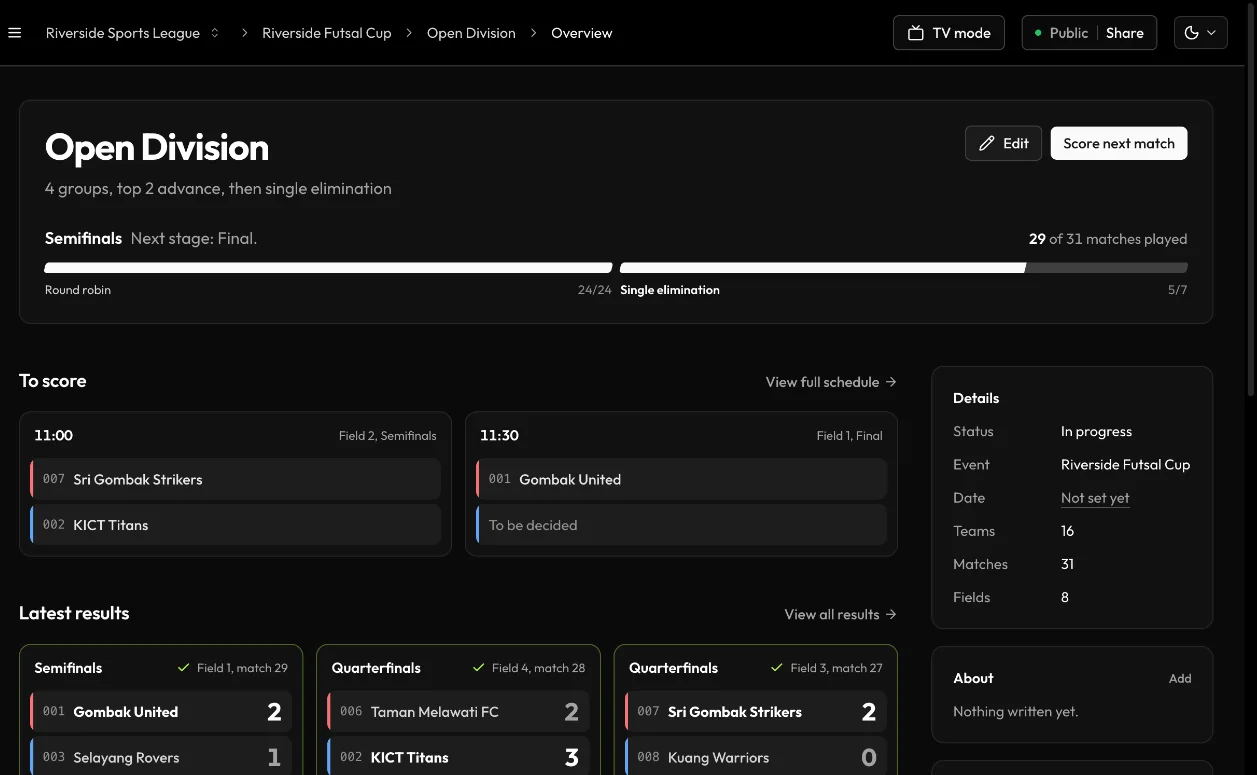
Each of those steps has its own guide below. When you are ready to play, the Score next match button at the top opens the next game in line.
Good to know
- Everything works in a phone browser. There is no app to install, for you, your helpers or your players.
- Nothing is public until you turn on the public page. You can set everything up in private first.
- You can make as many tournaments as you like on the free plan. Each one can have up to 8 teams or players when it goes live.
- You can rename a tournament, and change its dates and description, at any time with Edit on the Overview.
Common questions
How long does it take to set up a tournament?
About five minutes for a small event: make it, paste the team names, draw it. A schedule adds a minute or two.
Can I try it without real teams?
Yes. In Add Teams, press Generate teams to make up as many names as you want, then draw and score to see how it works. Clear them afterwards in Tournament Settings.
Do my players need an account?
No. Players and parents follow the public link without signing up. Only you and the helpers who enter scores need an account.
Can I change the format after I make the tournament?
You pick the format when you make it. If you picked the wrong one, the quickest fix is to make a new tournament with the right format and paste the same team list in.