← Help center / Scores and standings
Enter scores, and let helpers score from their phones
Updated 3 minute read
Every score you save updates the tables, moves winners on in the bracket and shows on the public page. Here is how to enter scores, and how to let other people do it from their own phones.
On this page
Enter a score
You can open a match from several places: the To score list on the Overview, a game on the Schedule tab, a match in the bracket, or a group on the scoreboard. Score next match at the top of the Overview opens the next one in line.
- Open the match. The Enter score sheet shows red on the left and blue on the right.
- Type both scores. The Winner box shows who won.
- Press Save score.
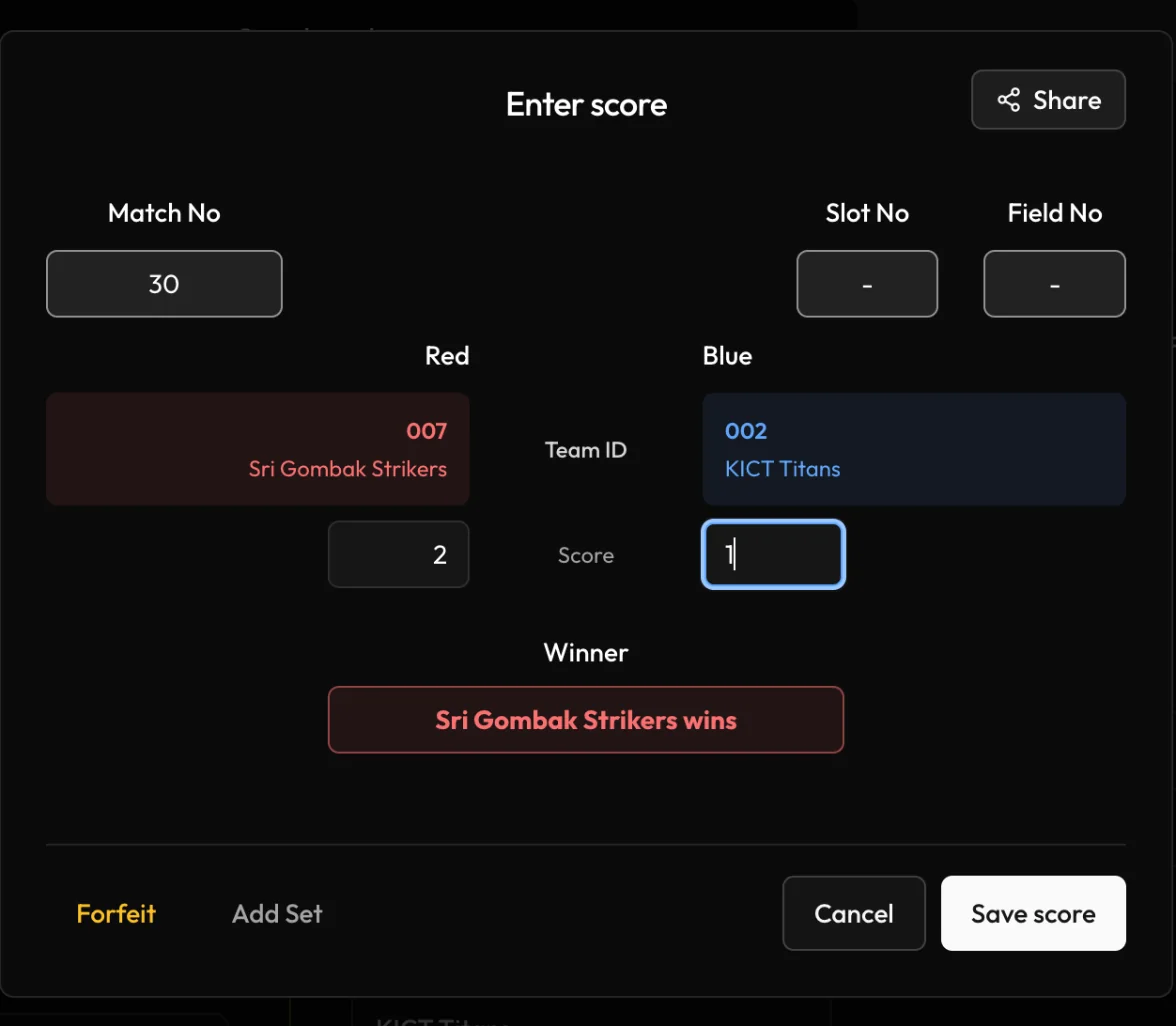
Playing sets, like in badminton or volleyball? Press Add Set to enter each set. The rules for sets are in Tournament Settings.
A knockout match cannot end in a tie, because someone has to go through. You decide what settles a level score under When draws are off in Tournament Settings, for example a toss.
Fix a score, or record a no-show
Open a scored match to see Edit score. Change the numbers and save, or use Delete score to clear it.
If a team does not turn up, press Forfeit on the sheet and pick who did turn up. The match is recorded as a walkover and the winner goes through as normal. If you do not see the button, turn on Allow forfeits in Tournament Settings. You can set the score a forfeit counts as there too.
Let helpers score from their phones
You do not have to enter every score yourself. Invite a scorer for each court, and they enter results from their own phone in the browser. There is no app to install.
- Open Members in the menu and press Invite.
- Type their email. You can add several at once.
- Under Role, choose Member to give access to the events you pick, or Admin to give access to everything.
- Under Access, choose Score to let them enter results, or Run to let them change the event too.
- Pick the events, then press Send invite.
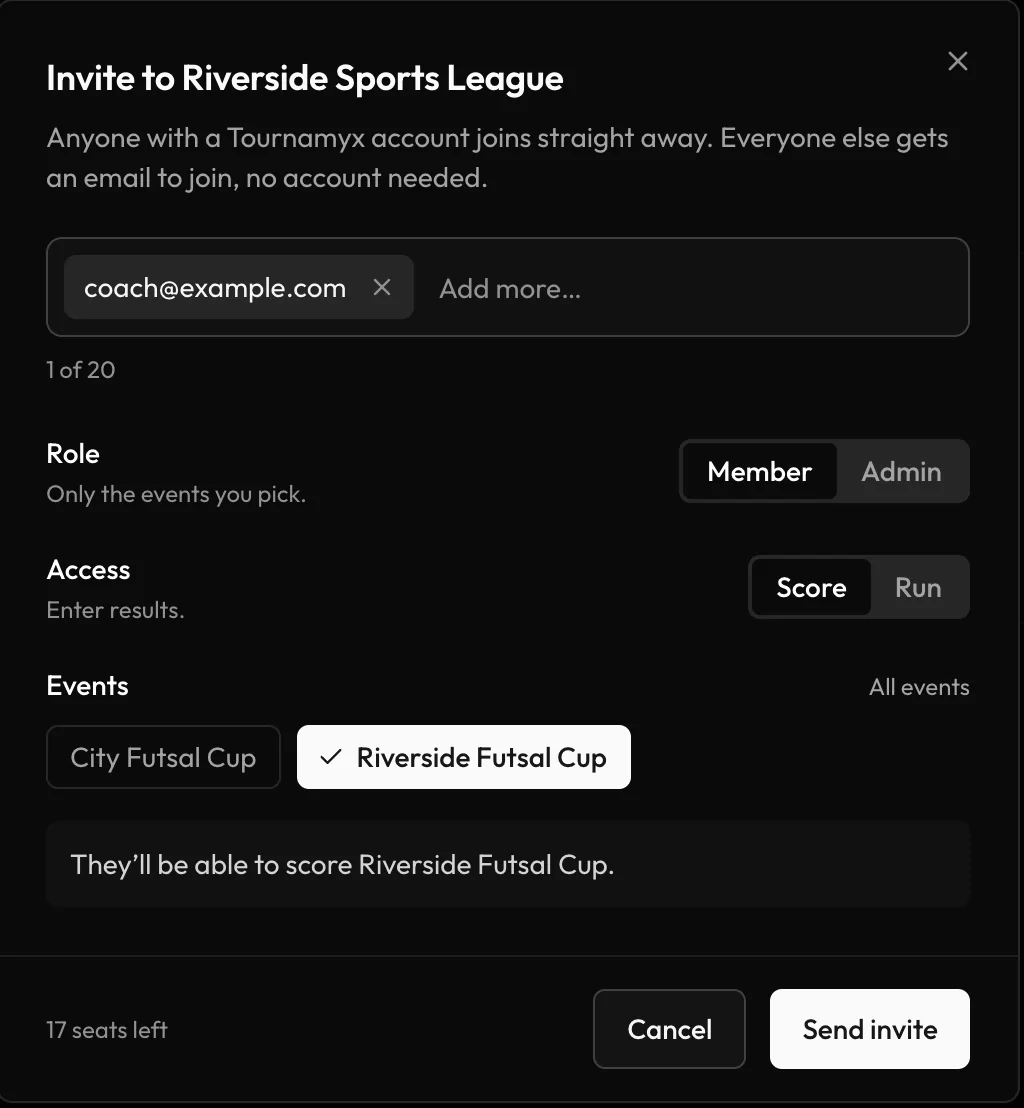
Anyone who already has a Tournamyx account joins straight away. Everyone else gets an email to join, and they do not need an account first.
A simple match day setup
- Invite one helper per court with Score access.
- Print the scoresheets as a backup, from the ⋮ menu on the Schedule tab.
- Ask each helper to save the score the moment the match ends, not at the end of the round.
- Keep the Overview open on your own phone. To score shows which matches are still waiting.
Common questions
Can two people score the same match?
Yes, but the last one saved counts. Give each court one scorer to avoid mix-ups.
Can I score without internet?
Tournamyx needs a connection to save a score. If the venue signal is weak, use the paper scoresheets and enter the results when you are back online.
Do helpers count towards my plan?
Yes. Each person in your organization uses a seat: 1 on Free, 5 on Plus and 20 on Pro.